Silo SEO: How to Build Topic Clusters That Google Understands
Publishing random blog posts creates a pile of pages. Search engines and readers prefer structure. Silo SEO organizes content into topic clusters: one broad pillar page plus supporting articles that cover subtopics in depth.
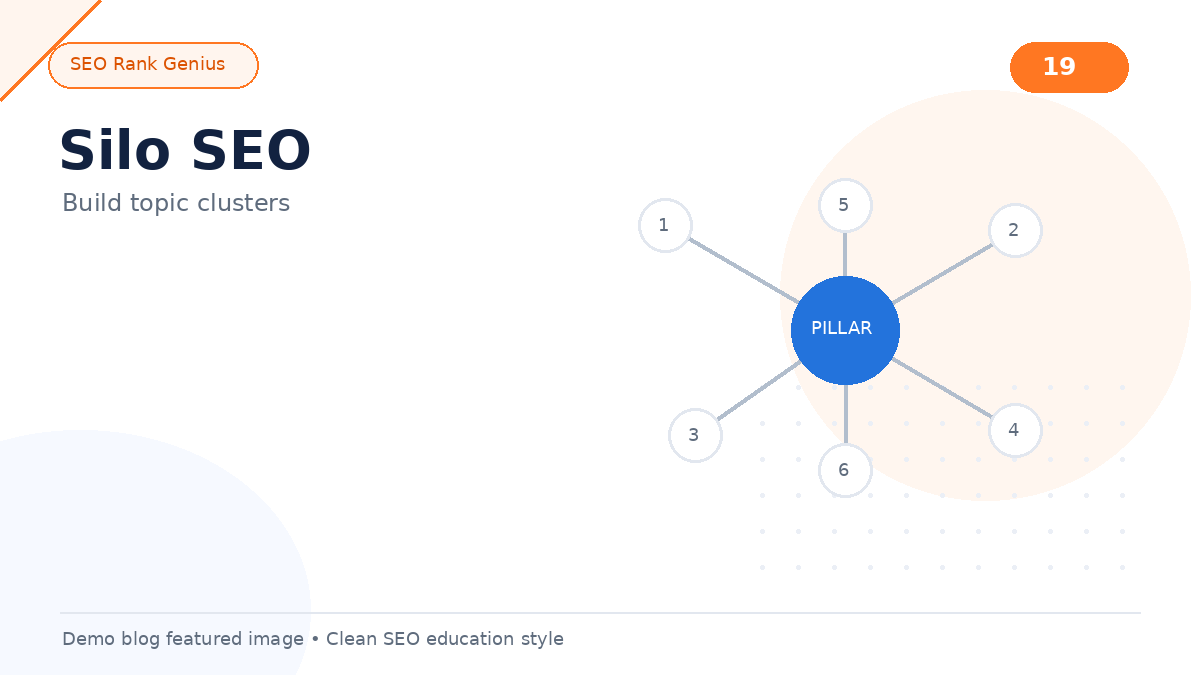
When clusters are linked correctly, your site sends clear signals about what you know and which URLs deserve attention for related searches.
This guide explains silos, topic clusters, pillar pages, and a practical build order for WordPress owners who want stronger topical coverage without rebuilding the entire site overnight.
Quick Answer
Silo SEO groups related content under a pillar page that covers a broad topic. Supporting posts target narrower questions and link back to the pillar with descriptive internal links. Topic clusters help search engines understand relationships and help users move from overview to detail without getting lost.
What Is a Content Silo?
A content silo is a section of your site dedicated to one theme. All pages inside the silo connect through internal links and share topical relevance.
Example silo for a bookkeeping firm:
- Pillar: Small business tax checklist (broad)
- Supporting: quarterly estimated taxes, deductible expenses, record retention rules
Each supporting post links up to the pillar. The pillar links down to key supporting pages. Related supporting posts link to each other when it helps the reader.
Topic Clusters vs Old-School Silos
Classic silo advice sometimes warned against linking between silos. Modern topic clusters focus on helpful connections. You still organize by theme, but you allow sensible cross-links when topics overlap.
For example, an internal linking silo may cross-link to an on-page SEO checklist when you discuss anchor text in content.
Start with foundational context in our internal linking for SEO guide.
Pillar Pages: What They Do
A pillar page targets a broad keyword or question. It provides an overview, links to depth content, and acts as the hub for the cluster.
Pillar page traits:
- Wide topic coverage without trying to answer every micro-question
- Clear table of contents or section links to supporting posts
- Strong internal links from supporting content
- Updated periodically as you add new subtopics
Mark pillar pages in your workflow so plugins and audits can treat them as cluster hubs.
Supporting Posts: Cluster Content
Supporting posts target narrower queries. They should:
- Answer one primary question clearly
- Link to the pillar early in the body with descriptive anchor text
- Link to two related supporting posts when natural
- Use headings that match search intent
Assign keywords with a keyword mapping process so each supporting URL owns a distinct query.
Step-by-Step: Build Your First Cluster
1. Choose a business-critical theme (service line, product category, or audience pain point).
2. List 5–12 subtopics customers actually ask about.
3. Create or upgrade the pillar as the hub overview.
4. Publish supporting posts in batches, each linking to the pillar.
5. Add lateral links between supporting posts with shared context.
6. Review orphan URLs and link any page with zero inbound internal links.
7. Track impressions in Search Console for the cluster keywords over time.
Pair cluster work with keyword research for new websites so subtopics match real search demand.
Internal Linking Rules Inside a Silo
Supporting → pillar: concentrates topical signals on the hub.
Pillar → key supporting pages: helps users and crawlers find depth content.
Supporting ↔ supporting: captures related intent and improves engagement.
Descriptive anchor text: clarifies what the linked page covers.
Avoid duplicate pillars: one hub per major theme prevents cannibalization.
Study anchor patterns in anchor text SEO before you standardize phrases across a cluster.
Content Hubs and Silos Work Together
A content hub is the user-facing manifestation of a silo: a central page that organizes resources. Hubs often use cards, lists, or TOCs.
Read content hubs for layout patterns that make clusters easy to browse.
Common Silo SEO Mistakes
- Creating pillars that are thin listicles with no depth
- Publishing supporting posts that never link back to the hub
- Targeting the same keyword on pillar and multiple supporting URLs
- Building clusters around vanity keywords with no business value
- Ignoring updates: pillars go stale while new posts stay disconnected
- Blocking crawl paths with orphan pages buried in archives only
Orphan URLs undermine silos quickly. See orphan pages for detection and fixes.
Silo Planning Checklist
- [ ] One pillar keyword mapped to a single URL
- [ ] Supporting keywords assigned without overlap
- [ ] Pillar links to all priority supporting pages
- [ ] Every supporting post links to the pillar
- [ ] At least two lateral links per supporting post
- [ ] Category or hub page reflects the cluster theme
- [ ] Quarterly review to add links from older posts to new URLs
Align technical basics using the SEO checklist for new websites before you scale cluster publishing.
FAQ
How many topic clusters should a small site have?
Start with one or two clusters tied to revenue. Depth on one theme often beats shallow coverage on ten themes.
Can one post belong to two clusters?
Yes when topics overlap. Use one primary parent pillar for metadata, but add contextual cross-links where helpful.
Do silos work for local businesses?
Yes. A local service silo might combine city pages, service FAQs, and pricing guides under one hub.
How long until silo SEO shows results?
Timelines vary by competition and site history. Consistent publishing and linking for three to six months is a realistic planning window for many small sites.
Should every blog post be part of a silo?
Ideally yes. Even off-theme posts should link to a relevant hub or utility page so they are not orphaned.
Final Thoughts
Silo SEO turns a blog archive into a structured knowledge base. Topic clusters give Google and readers a map: start at the pillar, drill into supporting detail, and move to the next related question without hitting a dead end.
Want to visualize cluster gaps, pillar relationships, and weak internal links on WordPress? Try the SEO Rank Genius demo and review how silo signals appear on a real content site.